Generate Employee Onboarding Forms from Excel
Upload your onboarding PDF template and a spreadsheet of new hires. Map employee fields once and generate personalized onboarding PDFs for every row.
- Create new-hire forms and HR documents in bulk
- Use existing PDF templates, forms or scans
- Reduce repetitive HR copy-paste before onboarding starts
No signup required · Pay only when you generate PDFs · Files deleted after merging
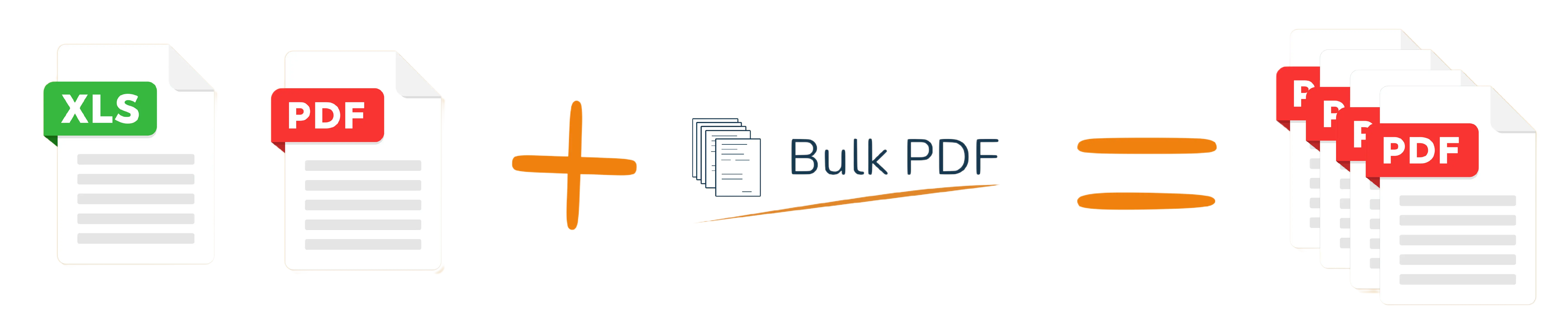
One spreadsheet row becomes one completed PDF.
Start immediately
Use your existing data
All PDFs in one file
After processing
How to Generate Employee Onboarding Forms from Excel
Turn a hiring spreadsheet into completed onboarding documents.
1. Upload PDF template
Use your existing PDF template, form or scan for this workflow.
2. Upload Excel
Upload the spreadsheet that contains one row per person, customer or record.
3. Map fields
Place spreadsheet columns onto the PDF once with drag and drop.
4. Download ZIP
Generate one completed PDF per row and download all files together.
Example: new hire list to completed onboarding form
Each row contains the HR data for one new employee.
| employee_name | start_date | department | manager |
|---|---|---|---|
| Mia Carter | 2026-07-01 | Operations | Sarah Lee |
| Noah Smith | 2026-07-01 | Finance | Daniel Kim |
| Liam Jones | 2026-07-15 | Support | Olivia Chen |
Tip: Use clear column names in Excel. This makes mapping faster and helps avoid mistakes.
Completed PDF preview
Employee: Mia Carter
Start date: 2026-07-01
Department: Operations
Manager: Sarah Lee
The next Excel row creates the next completed PDF automatically.
HR documents you can automate
Bulk PDF is useful whenever a repeatable PDF template has to be personalized from spreadsheet rows.
New-hire packets
Create personalized onboarding forms for every employee.
Acknowledgement forms
Fill policy acknowledgement or internal confirmation PDFs.
Department documents
Prepare department-specific forms from HR spreadsheets.
Recurring hiring rounds
Reuse the same template whenever new hires start.
Training onboarding
Generate first-day or training-related documents.
Internal administration
Replace manual copy-paste in repeated HR paperwork.
Specific HR onboarding examples
Use HR spreadsheets, ATS exports or new-hire lists to prepare onboarding PDFs before the first day.
New-hire information forms
Fill employee_name, start_date, job_title, department, manager and work_location for every new employee.
Policy acknowledgement forms
Generate signed-ready PDFs with employee_name, policy_name, version, acknowledgement_date and employee_id.
Equipment and access forms
Create forms for laptop_model, asset_tag, email_account, system_access and office_key handover.
Training and orientation plans
Prepare first-week schedules with employee_name, onboarding_buddy, training_session, date and room.
A focused template workflow for recurring documents
Instead of editing every PDF manually, use one template and one spreadsheet to generate the full document batch.
Use it when you already have a PDF template and a spreadsheet, and you want completed PDFs without building a custom script or editing every document manually.
| Bulk PDF | Manual workflows |
|---|---|
| No signup needed to start | Often account-first or setup-heavy |
| Map fields once | Repeat the same copy-paste steps |
| One PDF per row | One document at a time |
| ZIP download | Save files manually |
Designed for quick, private document processing
Your PDF and spreadsheet are only needed for the merge. After processing, uploaded files are deleted.
- Uploaded files are deleted after merging
- No account required for a quick test
- Useful for sensitive administrative workflows

Simple pricing for one-time and business use
Test your workflow for free. Pay only when you generate completed PDFs.
Free test
$0
Try 5 pages for free and check whether your PDF template works with your Excel data.
Start freePay as you go
$0.10
Per generated PDF after your free test. Good for one-time batches and occasional work.
Generate PDFsRelated PDF workflows
FAQ: employee onboarding forms from Excel
Yes. Upload your current PDF template, form or scan and place Excel columns onto it.
Each row in your Excel or CSV file becomes one completed PDF.
Yes. Reuse the same PDF template and mapping with a new spreadsheet.
No. Flat PDFs and scans also work because you place fields with drag and drop.
Yes. Generated files can be downloaded together as a ZIP.
No. Files are processed for merging and deleted afterwards.
Ready to generate employee onboarding forms from Excel?
Start free — no signup requiredUpload your PDF template and spreadsheet. Place the fields with drag and drop and generate your first test PDFs in minutes.